

Last Updated: October 28, 2026
Quick Summary
To book ski rentals online, choose your provider and pickup location, set your rental dates, then add each renter with their height, weight, shoe size, age, and ability level. Select a package tier per person, choose add-ons, review the summary, and pay the deposit or full amount to save your confirmation.
- Online platforms handled 34.7% of global ski-rental transactions in 2025, up from roughly 18% in 2019.
- Enter every renter separately with height, weight, street shoe size, age, ability level, and discipline.
- Assign a package tier per person instead of defaulting the whole reservation to one level.
- Damage waivers are not insurance and may exclude theft or loss, so read the exclusion line.
- Pick up the afternoon before your first ski day to avoid morning crowds, and expect 15 to 30 minutes for a fitting.
Table of Contents
- Why Booking Ski Rentals Online Beats Walking In
- What to Prepare Before You Book Ski Rentals in Advance
- Choosing Ski Rental Equipment Packages for Your Group
- Using a Ski Rental Sizing Guide to Pick Skis, Boots, and Boards
- A Step-by-Step Walkthrough of the Online Booking Form
- Step 1: Choose the rental provider and pickup location
- Step 2: Set rental dates and pickup timing
- Step 3: Add each renter and their measurements
- Step 4: Select a package tier per renter
- Step 5: Choose add-ons deliberately
- Step 6: Review the summary against your measurements
- Step 7: Pay the deposit or in full, and save the confirmation
- How Ski Rental Pickup Works and How to Time Your Reservation
- Changes, Cancellations, Refunds, and Missed Pickups
- Reserve Your Gear Before You Leave Home
- Frequently Asked Questions
Why Booking Ski Rentals Online Beats Walking In
Learning how to book ski rentals online can help you prepare for your trip. The U.S. ski and snowboard rental industry is a $267.3 million market (IBISWorld, 2026), and booking behavior has shifted fast. Dataintelo’s ski rental market report estimates online platforms handled 34.7% of global ski-rental transactions in 2025, up from roughly 18% in 2019.
Not every shop has caught up. A Fully Charged Media review of 1,550 rental websites found 319 of them, about 20.6%, had no way to book online at all.
Here is the practical case for reserving ahead:
At Carver’s Ski and Bike, you can reserve ski rentals online. You can browse Breckenridge ski rentals and reserve online.
What to Prepare Before You Book Ski Rentals in Advance
Before you open a reservation form, consider gathering these details:
For more information, see our guide on how early to book ski rentals for the coming season.
Choosing Ski Rental Equipment Packages for Your Group
Most shops organize inventory into tiers, and picking the right one matters more than picking the cheapest.
Sport, Performance, and Demo Tiers Explained
Demo means current-model, high-end gear, often the same skis sold in shops that season. It costs the most and rewards strong skiers.
Adult Rentals, Kids Rentals, and Family Bundles
At Carver’s, our local experts provide personalized attention to help match gear to individual skill levels.
Using a Ski Rental Sizing Guide to Pick Skis, Boots, and Boards
Sizing is the step people rush, and it’s the one that ruins a day. Read our guide to accurate ski boot sizing for a perfect fit before you enter your sizes. A ski rental sizing guide converts your height, weight, and ability into a length range. For a deeper look, see how a ski size chart can help you. A ski length chart from Carver’s Ski+Bike walks through that conversion by style and preference.
| Equipment | What decides the size | Common mistake |
|---|---|---|
| Skis | Height, weight, ability, terrain | Going too long for a beginner |
| Boots | Street shoe size, width, flex | Ignoring width and flex rating |
| Snowboards | Height, weight, boot size | Sizing by height alone |
| Helmets | Head circumference | Guessing instead of measuring |
A Step-by-Step Walkthrough of the Online Booking Form
Most rental platforms follow the same skeleton, whether you book direct with a shop, through a resort’s rental portal, or via a third-party reservation site. Here is the full sequence, with what each step controls and where people go wrong.
Step 1: Choose the rental provider and pickup location
Pick the provider first, because the rest of the form is specific to that shop’s inventory.
Step 2: Set rental dates and pickup timing
Watch two fields in particular:
- Peak-period minimums. Holiday weeks and spring break often carry multi-day minimums, so a single-day reservation may not be bookable online during those windows.
Step 3: Add each renter and their measurements
This step determines whether the gear fits. Enter every person separately, do not group a family into one “adult” line. For each renter you will typically provide:
- Height and weight, drives ski length and binding release settings.
- Street shoe size, the starting point for boot sizing, not the final answer.
- Age, determines whether the system assigns youth or adult inventory, and affects binding settings for children.
- Ability level, usually a dropdown from first-timer through expert.
- Discipline, skier or snowboarder, and for skiers whether they want alpine or touring gear where offered.
Measure everyone the week you book, not from memory. Kids can move a full shoe size in a season, and a boot that was right in March may be wrong by December.
Step 4: Select a package tier per renter
Tiers are not one-size-fits-all across a group. A family of four might put the beginners in sport gear, one intermediate in performance, and one strong skier in demo. Most forms let you assign a tier per person, so use it rather than defaulting the whole reservation to one level.
Step 5: Choose add-ons deliberately
Common add-ons include helmets, poles, ski or board locks, and damage waivers. Two notes:
- Helmets are often included with kids’ packages but priced separately for adults. Check before you add.
- Damage waivers are not insurance. They typically cover minor cosmetic damage and may exclude theft or loss. Read the exclusion line, not just the price.
Step 6: Review the summary against your measurements
The review screen is your last chance to catch a wrong shoe size or a swapped ability level. Check three things: names match the renters, dates match your travel, and each person’s tier is the one you intended. If the form shows a calculated ski length or boot size, sanity-check it against the sizing table later in this guide.
Step 7: Pay the deposit or in full, and save the confirmation
If anything on the confirmation looks wrong, contact the shop before you travel. Fixing a size error by phone is quick; fixing it at the counter on a powder morning is not.
How Ski Rental Pickup Works and How to Time Your Reservation
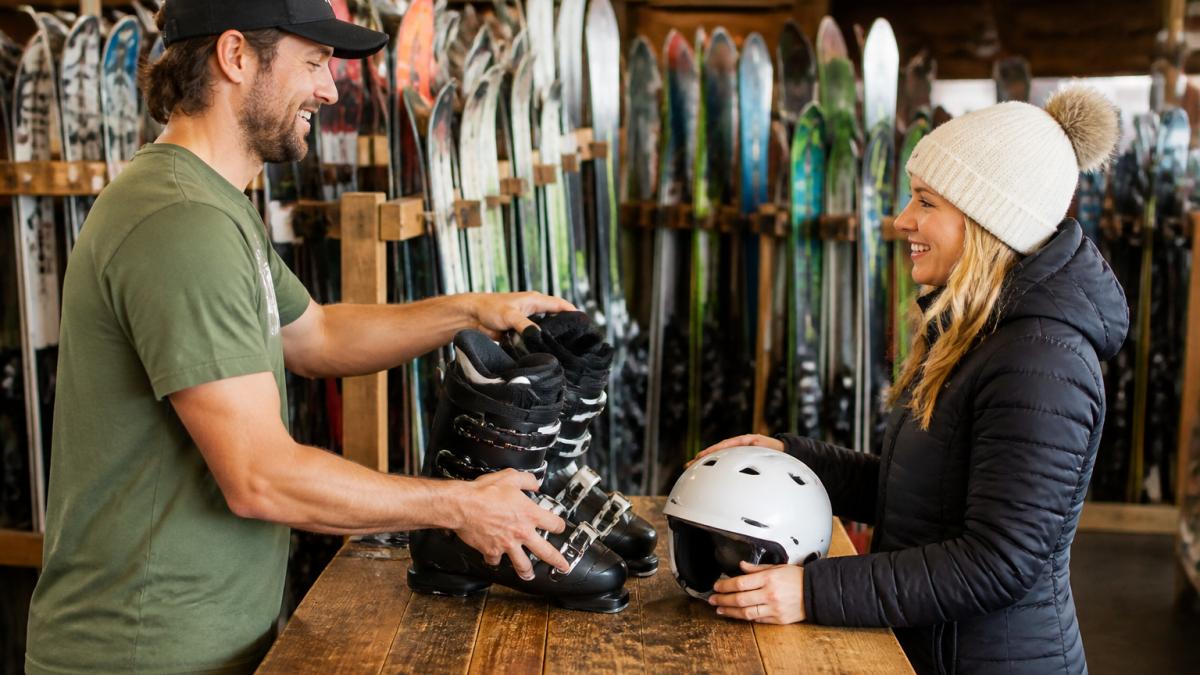
Time it right:
- Pick up the afternoon before your first ski day to avoid morning crowds.
- Arrive early on day one if you’re picking up same-day.
- Bring your confirmation and wear or bring the socks you’ll ski in.
Expect 15 to 30 minutes for a fitting, longer for a family of four. Ask about equipment storage if you’re staying nearby and don’t want gear in your rental.
Changes, Cancellations, Refunds, and Missed Pickups
This is the part most people skim and later regret. Policies are set by the individual shop, not the resort or the booking platform, so the same reservation screen can hide very different terms. Read the policy page before you pay.
Deposits versus prepayment
Most online reservations fall into one of two structures:
- Deposit model. You pay a percentage online and the balance at pickup. Cancellation usually forfeits the deposit or a portion of it, depending on timing.
- Prepayment model. You pay in full online, often at a discount. Refunds are typically tiered by how far ahead you cancel.
A deposit is not automatically cheaper. Run the math on the full prepaid price versus the deposit plus walk-up balance.
Change and cancellation windows
A common pattern is a free change or full refund up to a set number of days before pickup, often 48 to 72 hours at independent shops, longer at larger resort operations, with a partial refund or credit inside that window and no refund after. Two details matter more than the headline window: Clarity regarding these cancellation policies ensures your mountain logistics remain flexible, much like the process you should follow to vet private drivers for your ground transportation.
- Does the window count calendar days or business days? A Friday pickup with a 72-hour window means Tuesday, not Thursday.
- Is the refund to the original payment method or a shop credit? Credits are common and are not the same as cash back.
Missed pickups and no-shows
This is where reservations cost people money. If you do not collect your gear within the pickup window, many shops treat it as a no-show and charge the reservation anyway, sometimes the full amount, sometimes the deposit. Some shops will hold gear for a late arrival if you call ahead; almost none will if you simply do not show.
Weather, closures, and force-majeure exceptions
Resort closures and travel disruptions are handled inconsistently. Some shops offer a credit or date change if the mountain is closed; others do not, because the rental agreement is with the shop, not the resort. Ask specifically: “If the resort closes for weather, can I move my dates or get a credit?” Get the answer in writing.
Booking direct versus through a third-party platform
When you reserve through an aggregator, the platform’s cancellation policy and the shop’s policy can differ. The shop’s terms usually govern the gear, while the platform’s terms govern the transaction fee. If you cancel, you may recover the rental cost but not the platform fee, or vice versa. Booking direct typically gives you one policy to read instead of two.
The four questions to ask before you pay
Our ski rentals FAQ covers reservations, gear, and shop services in detail.
Reserve Your Gear Before You Leave Home
Preparing ahead can help you plan your ski rental. Carver’s offers online booking.
Carver’s Ski and Bike has rented gear in Breckenridge since 1995. We offer demo, performance, and sport-level equipment, personalized attention to help match gear to individual skill levels, and online booking. Reserve your gear before you travel.
Frequently Asked Questions
How far in advance should I book ski rentals?
Booking ahead gives you time to choose equipment and coordinate gear for your group.
What information do I need to book ski rentals online?
Carver’s offers online booking for ski rentals. For current booking details, visit the website.
Is it cheaper to book ski rentals online?
Carver’s offers online booking. For current pricing, visit the website.
Can I change my ski rental reservation after booking?
For current reservation terms, contact Carver’s Ski and Bike before booking.
